Test All The Things
Test locally
May 28, 2015
You can run Cypress tests while writing your Gatsby blog. Just install Cypress as a dev dependency and start testing! Assuming Gatsby is installed:
npm install -D cypressnpm run developto start local blog instancenpx cypress opento start Cypress application
Instead of hard coding the blog post url, drop it into cypress.json file
{
  "baseUrl": "http://localhost:8000"
}
Drop some tests into the cypress/integration/spec.js file and click on it. Here is an example test that opens the site, checks the title and takes a screenshot.
it('works', () => {
  // actual url is "baseUrl" in "cypress.json"
  cy.visit('/')
  cy.contains('Test All The Things')
  // https://on.cypress.io/screenshot
  cy.screenshot('site', {capture: 'runner'})
})
Start Gatsby in one terminal npm run develop and Cypress in another terminal with npx cypress open and see the test.
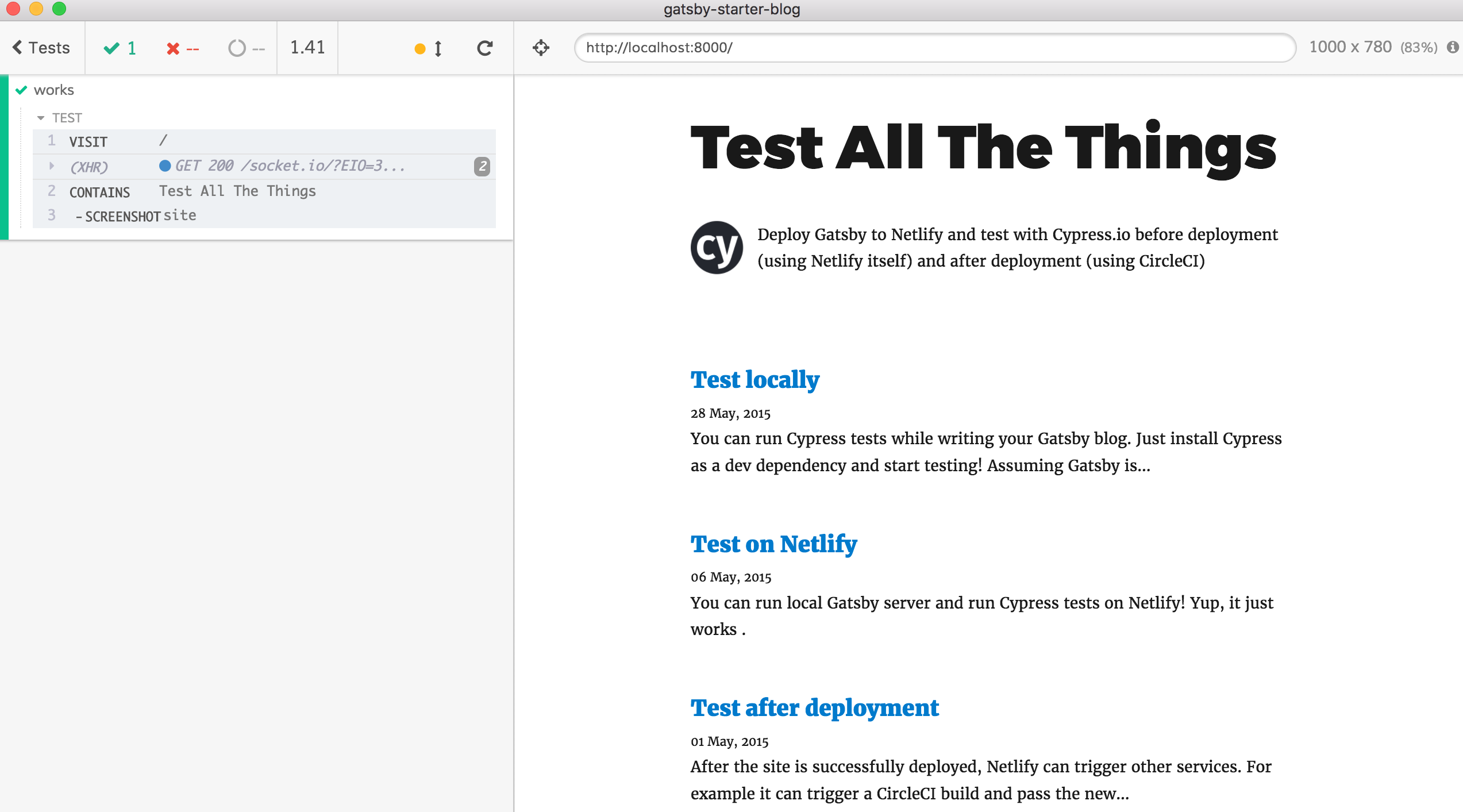
To run tests headlessly, we need to start Gatsby, wait for it to process files, and run Cypress tests. I wrote a little utility start-server-and-test to simplify these into a single shell command. Here are the script commands in the package.json to test the blog before deploying.
{
  "scripts": {
    "test": "start-test develop 8000 cy:run",
    "develop": "gatsby develop",
    "build": "gatsby build",
    "predeploy": "CI=1 npm i cypress; npm test",
    "deploy": "npm run build",
    "cy:run": "cypress run",
    "cy:open": "cypress open"
  }
}
So when I run npm test it starts the server, runs Cypress tests and closes the server.
Tip if the terminal stops echoing back keys as you type after running these tests, run shell command reset to get it back.

Deploy Gatsby to Netlify and test with Cypress.io before deployment (using Netlify itself) and after deployment (using CircleCI)